01
Scanner that sees edges
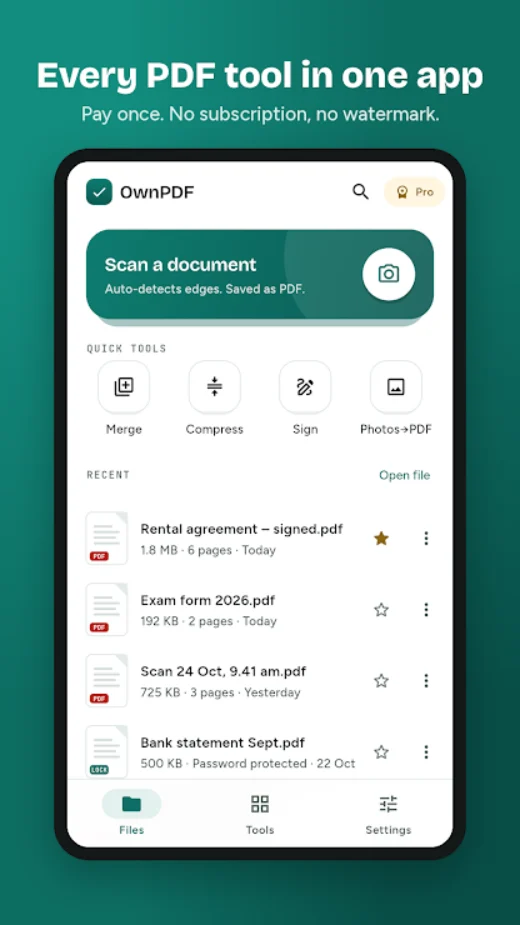
Automatic edge detection and auto-capture, a magnifier for perfect corners, and Magic colour, B&W, No shadow and Sharp filters.
Apps / OwnPDF
OwnPDF
PDF scanner & editor
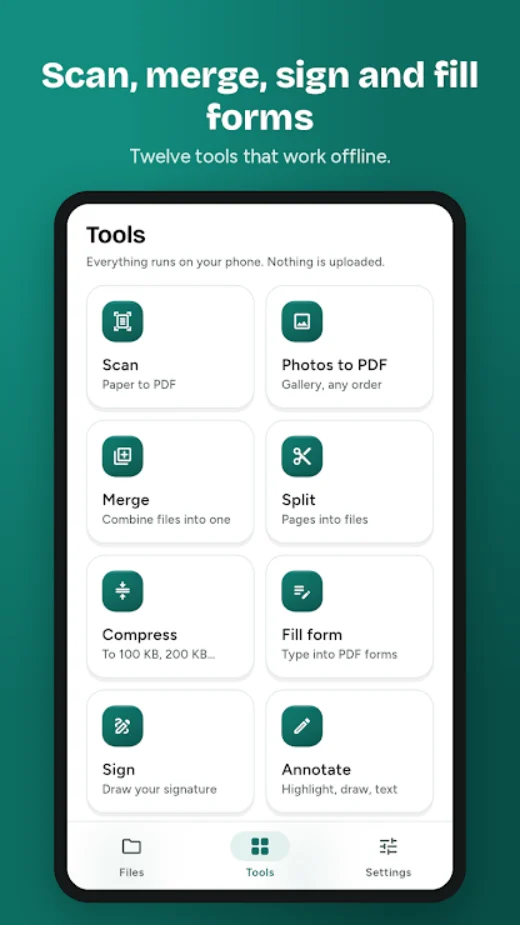
Scan documents and ID cards, then sign, edit, merge, split and compress PDFs right on your phone. No account, no watermark, no subscription.
Privacy policy Terms of use Delete your data
OwnPDF
01
Automatic edge detection and auto-capture, a magnifier for perfect corners, and Magic colour, B&W, No shadow and Sharp filters.
02
Shrink a PDF to 100 KB, 200 KB, 500 KB or 1 MB for exam, job, passport and government portals, or set your own limit.
03
Draw your signature or use a photo of it. Add signature, name and date to every page in one tap.
Everything inside
In your language: English, Hindi, Bengali, Marathi, Telugu, Tamil, Kannada, Gujarati, Malayalam, Spanish, Portuguese and Indonesian.
Pricing
Free
One payment, no subscription
Guides
Reduce a PDF to 100 KB, 200 KB or any size limit on Android for exam, job and government portals. Offline, no upload, no watermark. Step-by-step.
Read the guide OwnPDFPut both sides of your Aadhaar, PAN or driving licence on a single A4 page at real size, ready to print or self-attest. Offline on Android.
Read the guide OwnPDFAdd your signature, name and date to every page of a PDF in one tap for self-attested copies. Works offline on Android with OwnPDF.
Read the guidePrivacy
OwnPDF needs no account. What you make in it stays on your phone unless you choose to share it. Questions? Write to provantict@gmail.com.
Questions
Yes. Choose 100 KB, 200 KB, 500 KB, 1 MB or set an exact limit. OwnPDF never saves a file bigger than the original.
No. OwnPDF works without internet and your files never leave your phone. Every edit saves a new file, so your original stays untouched.
No. A feature that is free today will never be moved behind Pro, and OwnPDF tells you before a tool runs if a free limit applies.
 PixFit
 Calcsend
 NINO
 LineReady
 ReelFox
 Daybreak
 Tadka
 Burrow