01
One-tap presets
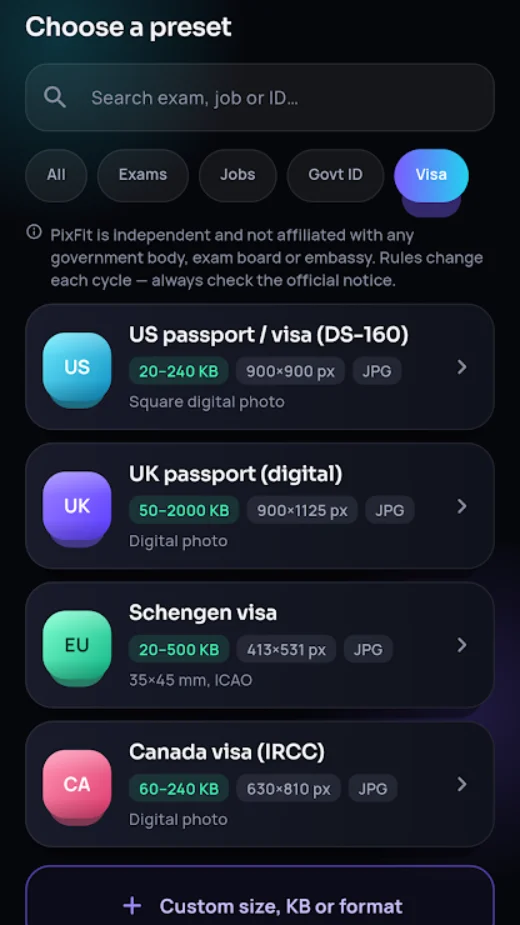
Ready-made sizes for UPSC, NEET, JEE Main, CUET, GATE, IBPS, SBI, RRB, SSC, PAN, Indian passport, US, UK, Schengen and Canada photos. Each preset shows the KB range, pixels and format it follows.
Apps / PixFit

PixFit
Photo & signature resizer
Resize and compress photos, signatures and thumb impressions to the exact KB, pixel size and format that exam, job, ID and visa forms ask for. Passport photos too.
PixFit
01
Ready-made sizes for UPSC, NEET, JEE Main, CUET, GATE, IBPS, SBI, RRB, SSC, PAN, Indian passport, US, UK, Schengen and Canada photos. Each preset shows the KB range, pixels and format it follows.
02
Pick a target like 20–50 KB and PixFit finds the best quality that fits. Never over the limit, so the form accepts it first time.
03
Scan a signature on paper, draw one, or pick a photo. PixFit whitens the paper, sharpens the ink, crops tight and sizes it exactly.
Everything inside
Pricing
Free
Watch one short ad
Guides
Reduce a photo's size in KB and pixels for exam, job and visa forms on Android. Hit the exact KB range without blurring, offline and without uploading.
Read the guide PixFitScan your signature, whiten the paper, crop it tight and resize it to the exact KB and pixel size forms ask for. Works offline on Android.
Read the guide PixFitSSC CGL 2026: photo is captured live in the app, signature must be JPG, 10–20 KB, about 6.0 × 2.0 cm. Official notice rules explained.
Read the guide PixFitUPSC online application photo and signature: JPG, 20–300 KB, 350×350 to 1000×1000 pixels. CSE 2026 also captures a live photo. Official rules.
Read the guide PixFitNEET UG 2026 uploads: passport photo 10–200 KB on white background, signature 10–100 KB, finger and thumb impressions. From the official bulletin.
Read the guide PixFitJEE Main 2027 uploads: photo JPG 10–200 KB on white background, signature 10–100 KB, plus a live photo. From the official NTA bulletin.
Read the guide PixFitRRB ALP (CEN 01/2026): live photo instead of an upload; signature JPG 30–49 KB, at least 140×60 px, 100 DPI, joined handwriting.
Read the guide PixFitSBI Junior Associates 2026 uploads: photo 20–50 KB (200×230), signature 10–20 KB (140×60), thumb 20–50 KB, declaration 50–100 KB.
Read the guide PixFitUS visa digital photo: square JPEG, 600×600 to 1200×1200 pixels, 240 KB or less, colour sRGB. Official State Department rules and how to make one.
Read the guidePrivacy
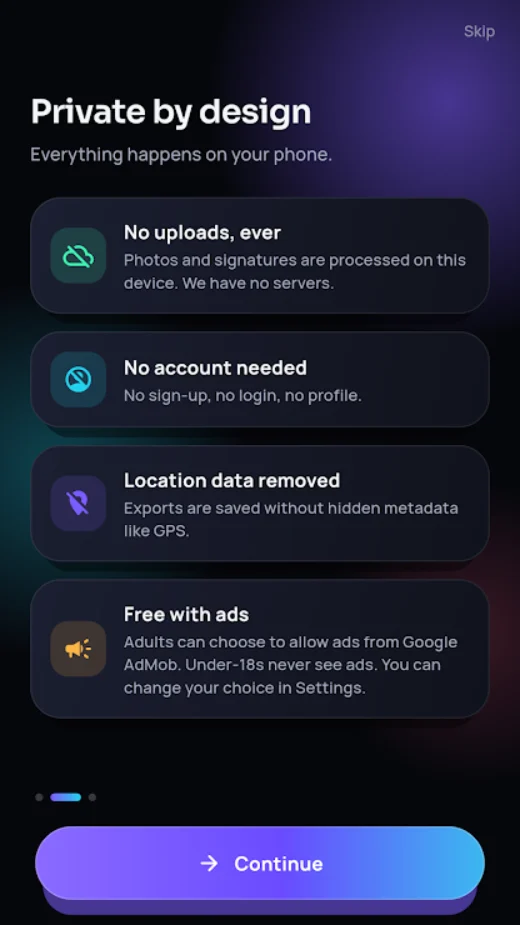
PixFit needs no account. What you make in it stays on your phone unless you choose to share it. Questions? Write to provantict@gmail.com.
PixFit is an independent app and is not affiliated with any government, exam board, bank, passport office or embassy.
Questions
No. Every photo is processed on your phone and never uploaded. PixFit works offline and needs no account.
No. PixFit is an independent app and is not affiliated with any government, exam board, bank, passport office or embassy. Requirements change often, so always check the latest official notice before you submit.
Yes. PixFit is free with ads, shown only to adults. Watch one short ad to unlock HD export, PDF and the clean print sheet for 20 minutes.
 OwnPDF
 Calcsend
 NINO
 LineReady
 ReelFox
 Daybreak
 Tadka
 Burrow